Skip to product information
1 of 10

Magic Motion

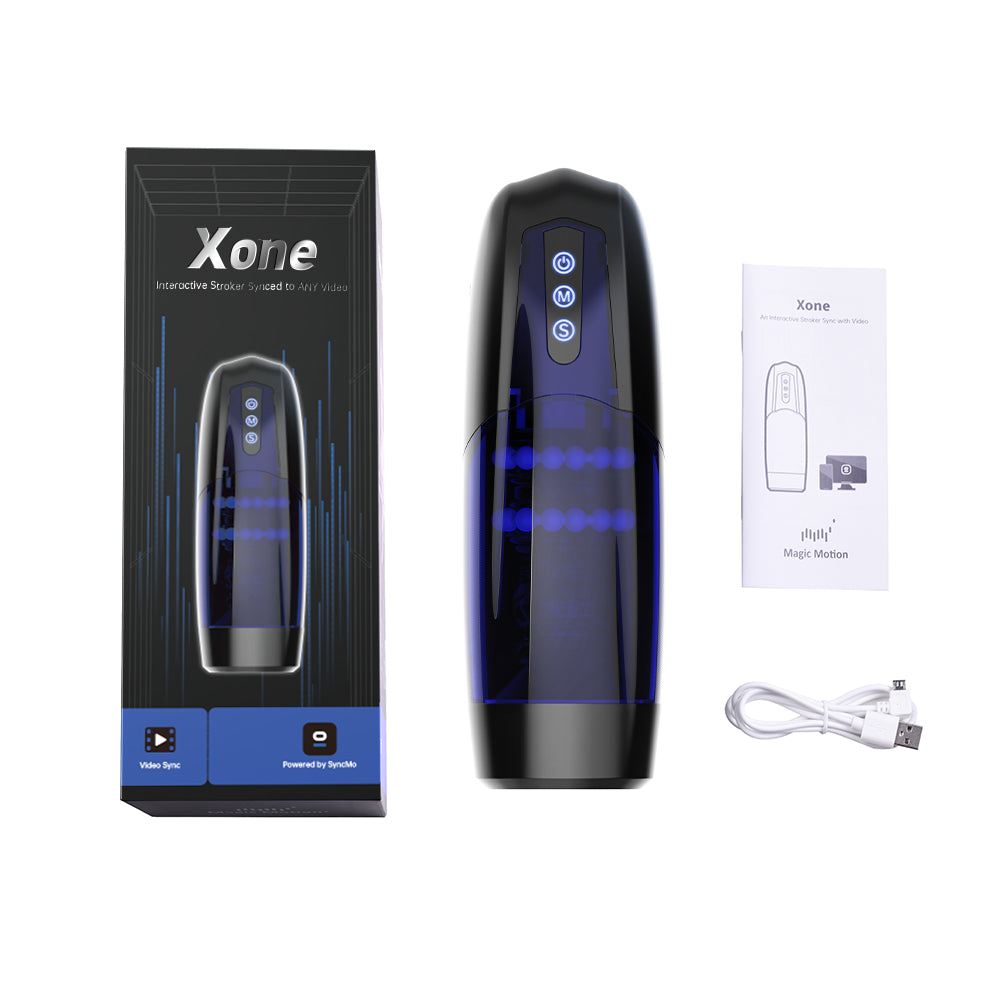
Xone Interactive Stroker

Xone Interactive Stroker

Interactive Stroker Synced to Any Video

Regular price $119.95 USD
Regular price Sale price $119.95 USD
Sale Sold out
Tax included.
  • American Express
  • Diners Club
  • Discover
  • Mastercard
  • PayPal
  • Shop Pay
  • USDC
  • Visa
  • Fast Delivery
  • 1 Year Warranty
  • Free Shipping
Free U.S. Shipping | Int'l $69+

More Than a Manual Stroker

Xone gives you three ways to play: choose from 10 built-in motion patterns, sync movement with supported on-screen content through SyncMo, or share local or remote control through the Magic Motion app. Pair Flamingo Max in the Magic Motion app to add body-led Squeeze Control.

View full details

Three Ways to Play with Xone

Choose the experience that fits the moment: enjoy 10 built-in motion patterns on your own, sync movement with supported video or video-call scenarios through SyncMo, or share control through the Magic Motion app. Pair Flamingo Max through the Magic Motion app to add body-led Squeeze Control. SyncMo is free to download and does not require an additional subscription.

未标题-1.jpg__PID:4a4050e1-5ebb-4471-a1da-3129b1c864fc

Built for Interactive Control

Xone is more than a manual stroker. Control it directly, use SyncMo for supported on-screen scenarios, or share control through the Magic Motion app. Pair Flamingo Max through the app when you want body-led Squeeze Control. One device, multiple ways to play.

xone-11_黑背景.png__PID:ca727987-7f11-4a92-8a6c-a7523780333a

Start with the Mode You Want

Xone does not require an app for Manual Mode. Choose SyncMo when you want Video Sync on a computer, or choose the Magic Motion app for local or remote partner control. Within the Magic Motion app, Flamingo Max adds body-led Squeeze Control.

Choose Your Connection Mode

Choose the mode that matches the moment. Manual Mode works without an app; SyncMo adds supported on-screen sync, while the Magic Motion app adds partner control and optional body-led Squeeze Control with Flamingo Max.

1

Manual Mode

No app needed. Turn on Xone and choose from 10 built-in motion patterns using the onboard controls.
2

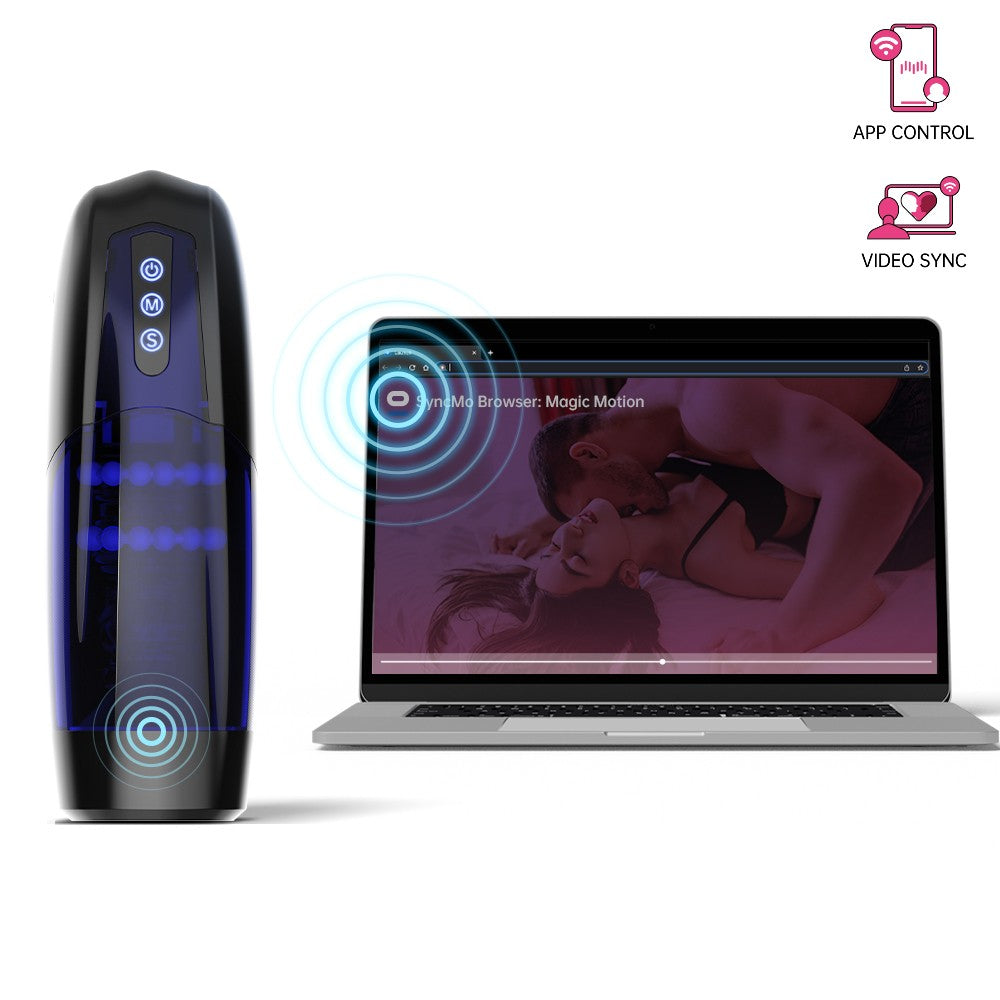
SyncMo

For Video Sync on macOS 12.3+ or Windows 10/11+ with supported video, live-stream, and video-call scenarios. Choose the Xone Edition when your Xone includes an Activation Key Card.

3

Magic Motion App

For local or remote partner control. Pair Flamingo Max through the app to add body-led Squeeze Control: pelvic-floor squeezes can guide Xone locally or remotely.

12.jpg__PID:4c5052ea-30dd-4025-ab68-7eb17c3f511e

Manual Mode:Experience personalized pleasure with Xone's Manual Mode. Customize the up-and-down motion among 10 different patterns, while the soft and stretchy sleeve replicates the feel of a real vagina. Enjoy mind-blowing pleasure with the one-touch orgasm button (S button) anytime, anywhere. Xone's Manual Mode invites you to indulge in a lifelike and tailored sensory experience.

Xone 动图.gif__PID:e15ebbd4-7161-4a31-a9b1-c864fcd516ef

Video Sync Mode:
Use SyncMo on macOS 12.3+ or Windows 10/11+ to connect Xone with supported videos, live streams, and video-call scenarios. Xone purchased from this store includes an Activation Key Card: download the SyncMo Magic Motion Xone Edition and enter your email and activation key after installation. If your Xone did not include an Activation Key Card, choose the Universal Edition instead.

chatting.jpg__PID:b5eeabd9-5e13-4ad7-a6a9-205aafa1e0e3

Magic Motion App: Partner Control and Squeeze Control
Use the Magic Motion app for local or remote partner control. When both partners use the app and have a stable internet connection, a partner can choose Xone's patterns and speeds from anywhere. Pair Flamingo Max through the Magic Motion app to add body-led control: pelvic-floor squeezes can guide Xone locally or remotely through Squeeze Control.

Learn about the Magic Motion app

Xone and Flamingo Max connected through body-led Squeeze Control

Body-Led Couple Play with Flamingo Max

Pair Xone with Flamingo Max through the Magic Motion app to add body-led control. Flamingo Max translates pelvic-floor muscle squeezes into Xone control, so your partner can guide Xone locally or remotely through Squeeze Control.

Features and Specifications

Charging Type: USB Charger

Operating Time: 60mins

Materials Used: ABS, TPE

Size: 272(L)X90(W)X96mm(H)/11x3.5x3.8inch

Weight: 735g / 26 oz

Manual Mode: 10 built-in patterns

Video Sync Mode: SyncMo for compatible video or live-stream scenarios

Magic Motion App: local or remote partner control with a stable internet connection

Enhanced Body-Led Control: pair Flamingo Max through the Magic Motion app for local or remote Squeeze Control interaction

Inside the box

  • Xone interactive stroker x1
  • User Guide x1
  • Activation Key Card x1
  • Micro USB Cable x1

Frequently Asked Questions

Can I use Xone without an app?
Yes. Xone includes Manual Mode with 10 built-in motion patterns, so you can enjoy it without connecting to an app.
How does Video Sync work with Xone?
Use SyncMo on macOS 12.3+ or Windows 10/11+ for supported video, live-stream, and video-call scenarios. Store-bought Xone with an Activation Key Card uses SyncMo Magic Motion Xone Edition. Without a card, choose Universal Edition.
Can my partner control Xone from far away?
Yes. Use the Magic Motion app for local or remote partner control. For remote play, both partners need the app and a stable internet connection.
Can Xone pair with Flamingo Max?
Yes. Pair them through the Magic Motion app for body-led Squeeze Control. Flamingo Max translates pelvic-floor squeezes into Xone control, letting a partner guide Xone locally or remotely.
Which app should I use with Xone?
Use the Magic Motion app for local or remote partner control. Use SyncMo on macOS 12.3+ or Windows 10/11+ for Video Sync. Both are free to download and require no subscription.
Which SyncMo version should I download?
This store’s Xone includes an Activation Key Card. Download SyncMo Magic Motion Xone Edition and enter your email and activation key. Xone without an Activation Key Card uses Universal Edition.
Why can’t SyncMo find my Xone?
Confirm Bluetooth is on, Xone is powered on and in discovery mode, and you installed the correct SyncMo version. On macOS, allow Bluetooth permission if prompted.

Video Sync with SyncMo

Use SyncMo to connect Xone with supported videos, live streams, and video-call scenarios on a computer. It is free to download and works on macOS 12.3+ and Windows 10/11+. Xone purchased from this store includes an Activation Key Card and uses the SyncMo Magic Motion Xone Edition. If your Xone did not include an Activation Key Card, use the Universal Edition instead.

Choose Your App

Video Sync

SyncMo for Video Sync

Sync Xone with supported videos, live streams, and video-call scenarios on macOS 12.3+ or Windows 10/11+. This store's Xone includes an Activation Key Card: download the SyncMo Magic Motion Xone Edition, then enter your email and activation key after installation. If your Xone did not include an Activation Key Card, choose the Universal Edition. Before connecting, turn on Bluetooth and make sure Xone is in discovery mode; on macOS, allow Bluetooth permission if prompted.

Remote Partner Control

Magic Motion App for Partner Play

Use the Magic Motion app for local or remote partner control. With both partners connected and a stable internet connection, your partner can choose Xone's patterns and speeds from anywhere. Pair Flamingo Max through the app to add body-led Squeeze Control: pelvic-floor muscle squeezes can guide Xone locally or remotely.